Delete RocTrades Account
Follow these steps to delete your RocTrades account permanently. This procedure is the same on iOS and Android.
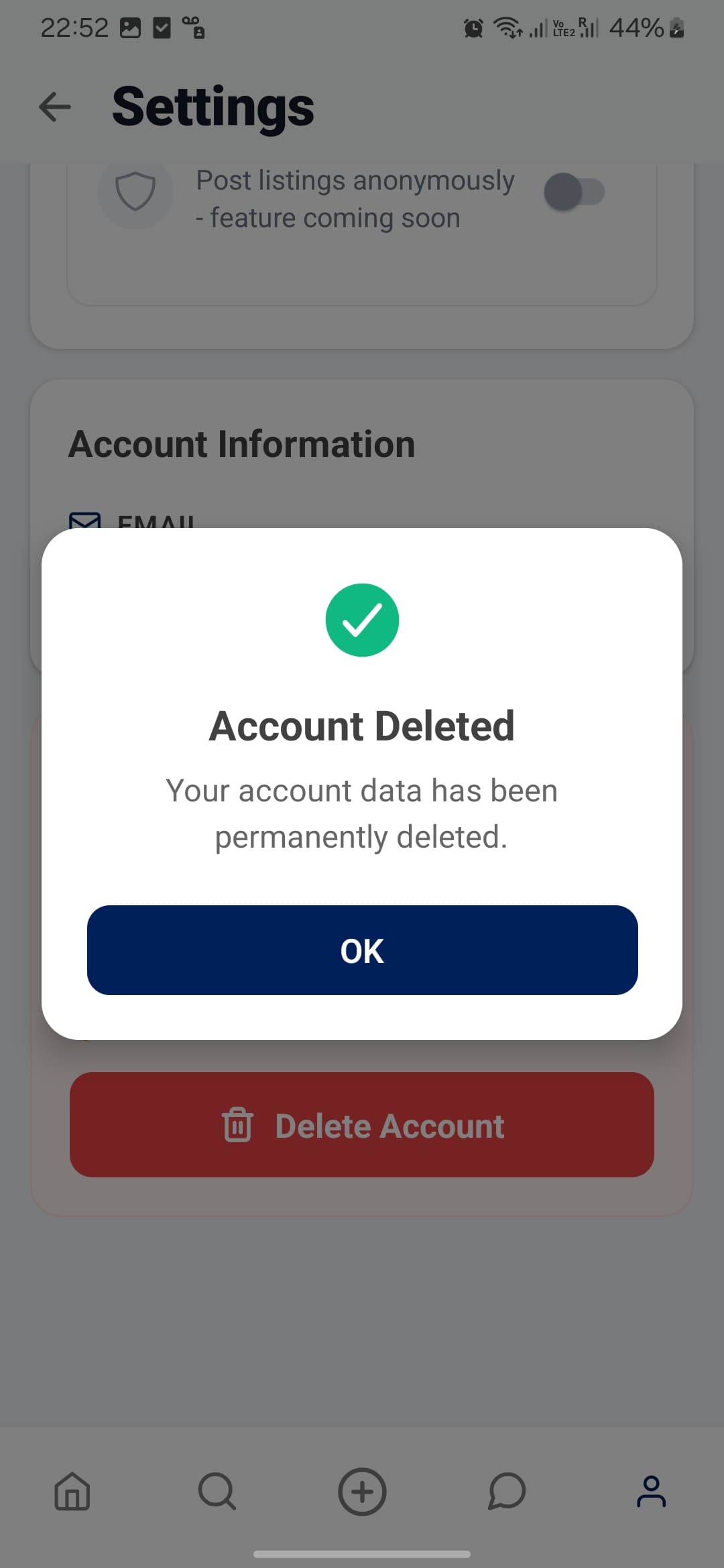
Account deletion usually takes about a minute. When it's finished, you'll see a success prompt confirming the deletion.
Need help? Please contact us at contact@roctrades.com for more assistance.
Account deletion information (Google Play)
App: RocTrades. Developer: RocTrades Team.
Steps to request account deletion
- In the app, go to Account → Settings → Delete Account, then confirm deletion.
- If you cannot access the app, email contact@roctrades.com with the subject “Account deletion request” from your registered email address.
Data deleted vs kept, and retention
- Deleted: your listings and draft listings; purchase history; favorites listing history; account credentials and profile information (email, password); personal information you provided (school year, hall location, major); and related media.
- Temporarily retained: minimal audit/support logs and system backups may persist for a limited period (up to 30–90 days) for security, anti‑abuse, and disaster recovery, after which they are purged.
- Kept (non‑personal): aggregate or de‑identified analytics that do not identify you may be retained to improve service quality.
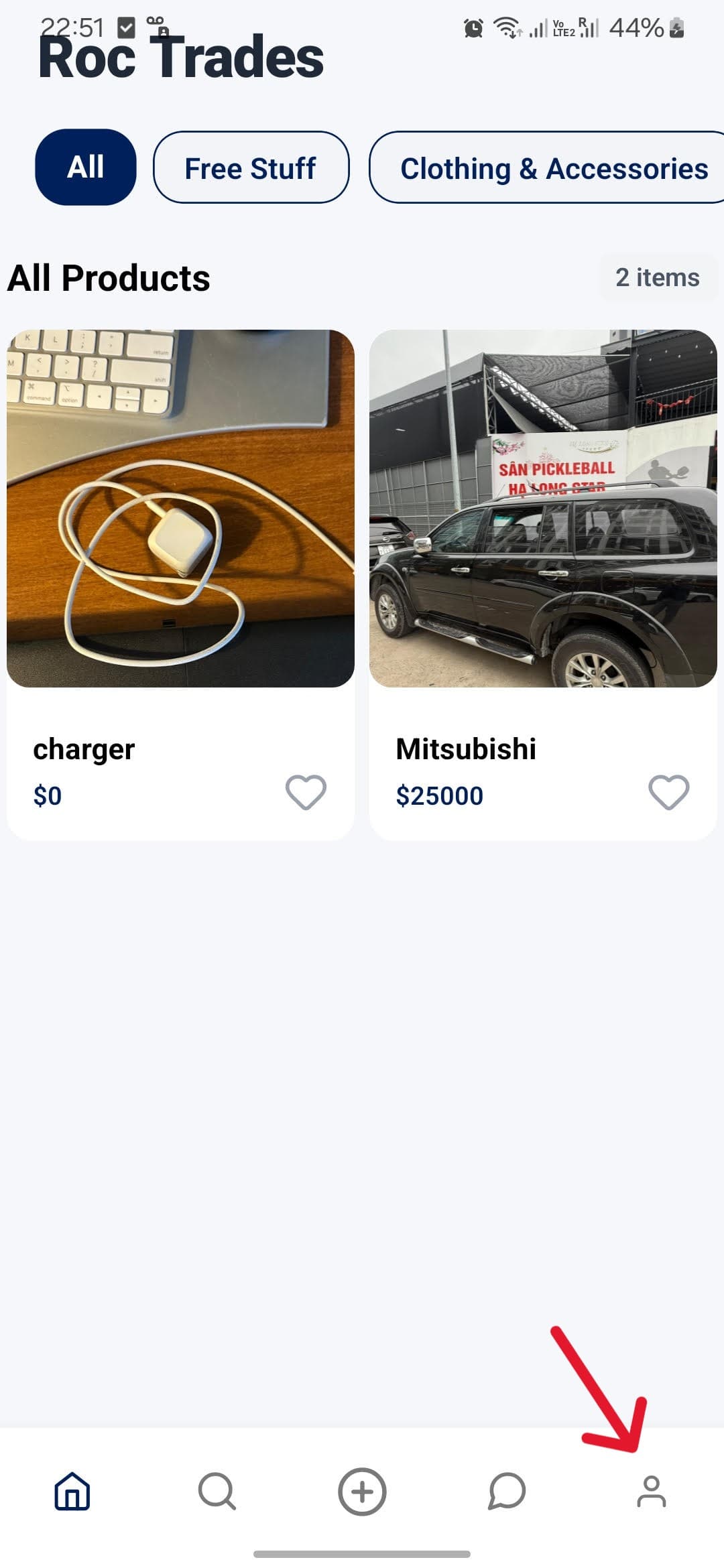
Step 1 — Open Account
Make sure you are logged into your account and on your home page. Tap Account in the bottom-right corner.
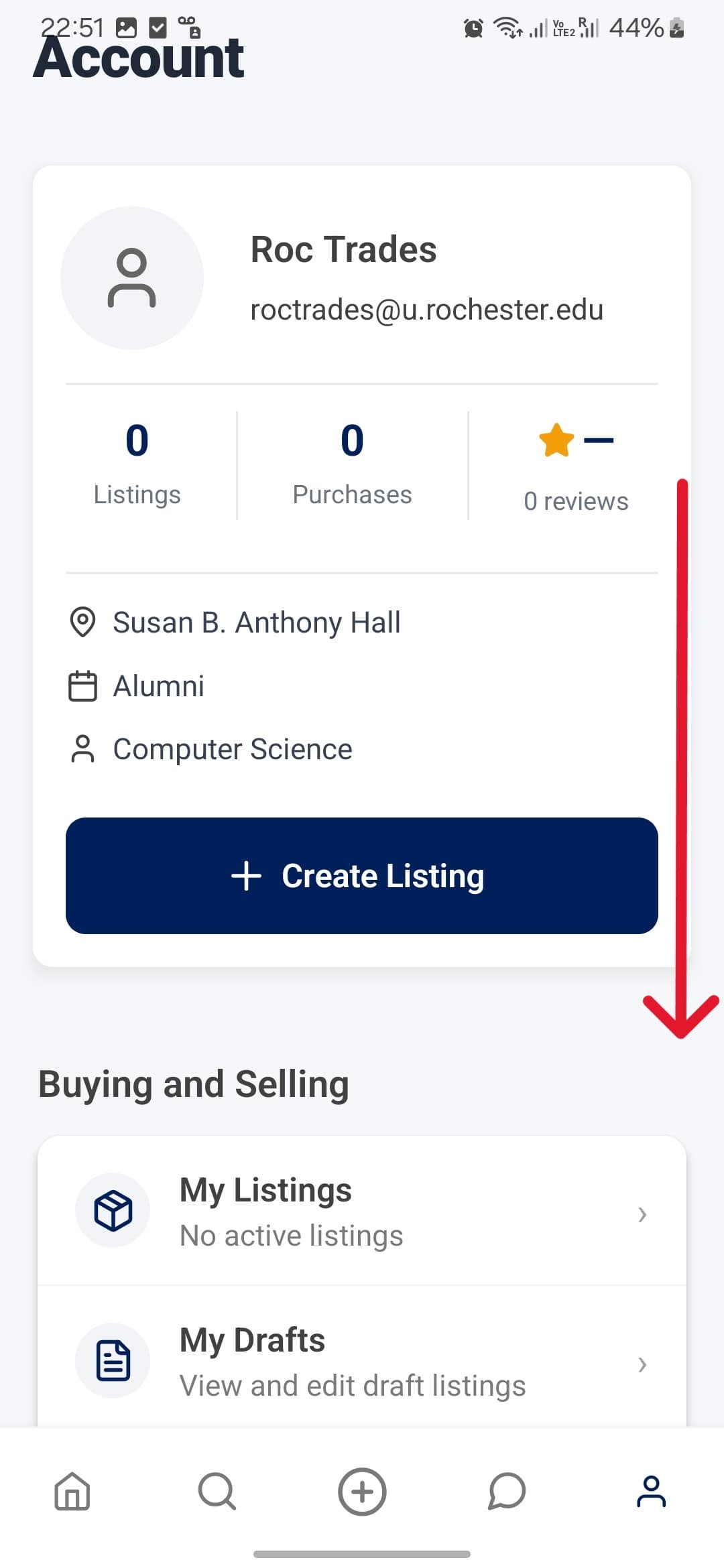
Step 2 — Scroll to Settings
In the Account area, scroll to the bottom. You should see a Settings section.
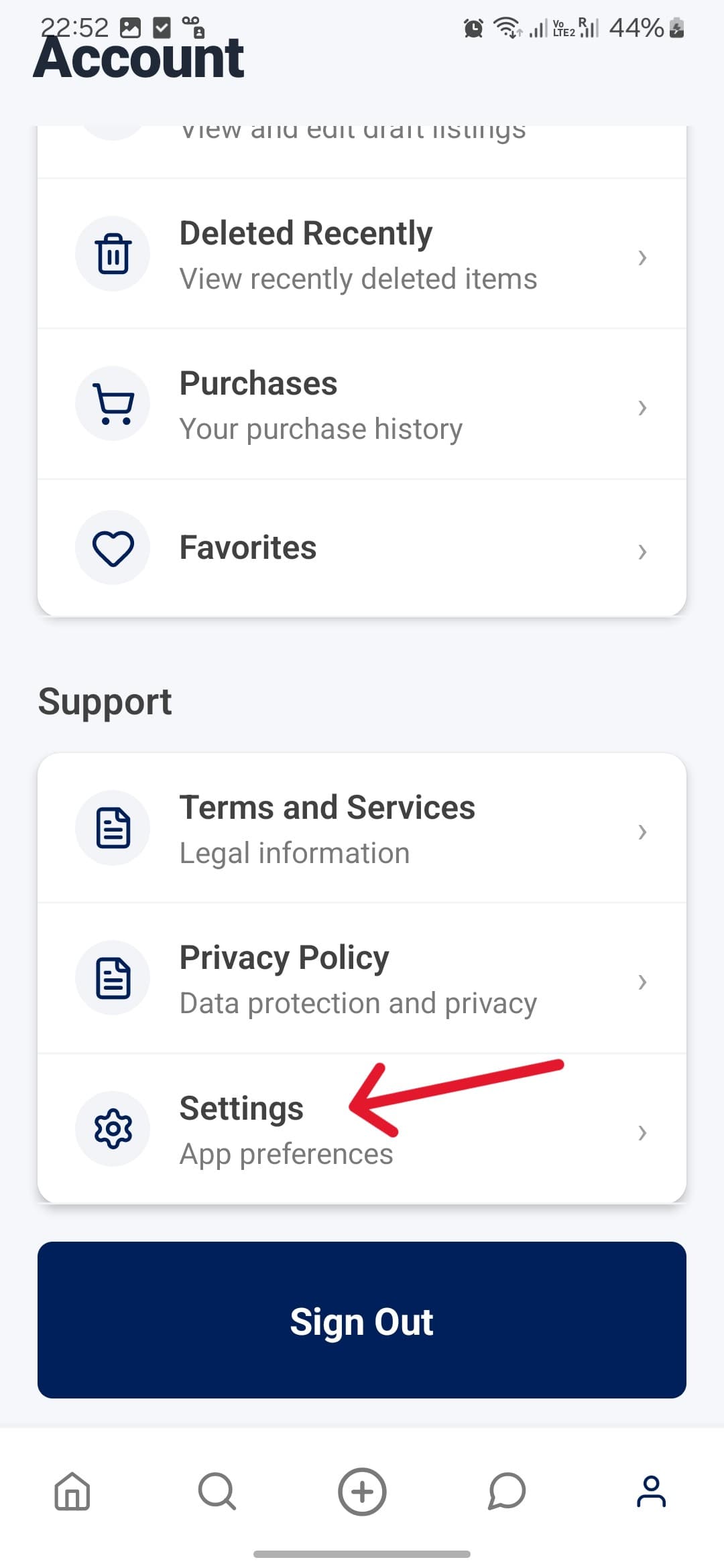
Step 3 — Open Settings
Tap on Settings.
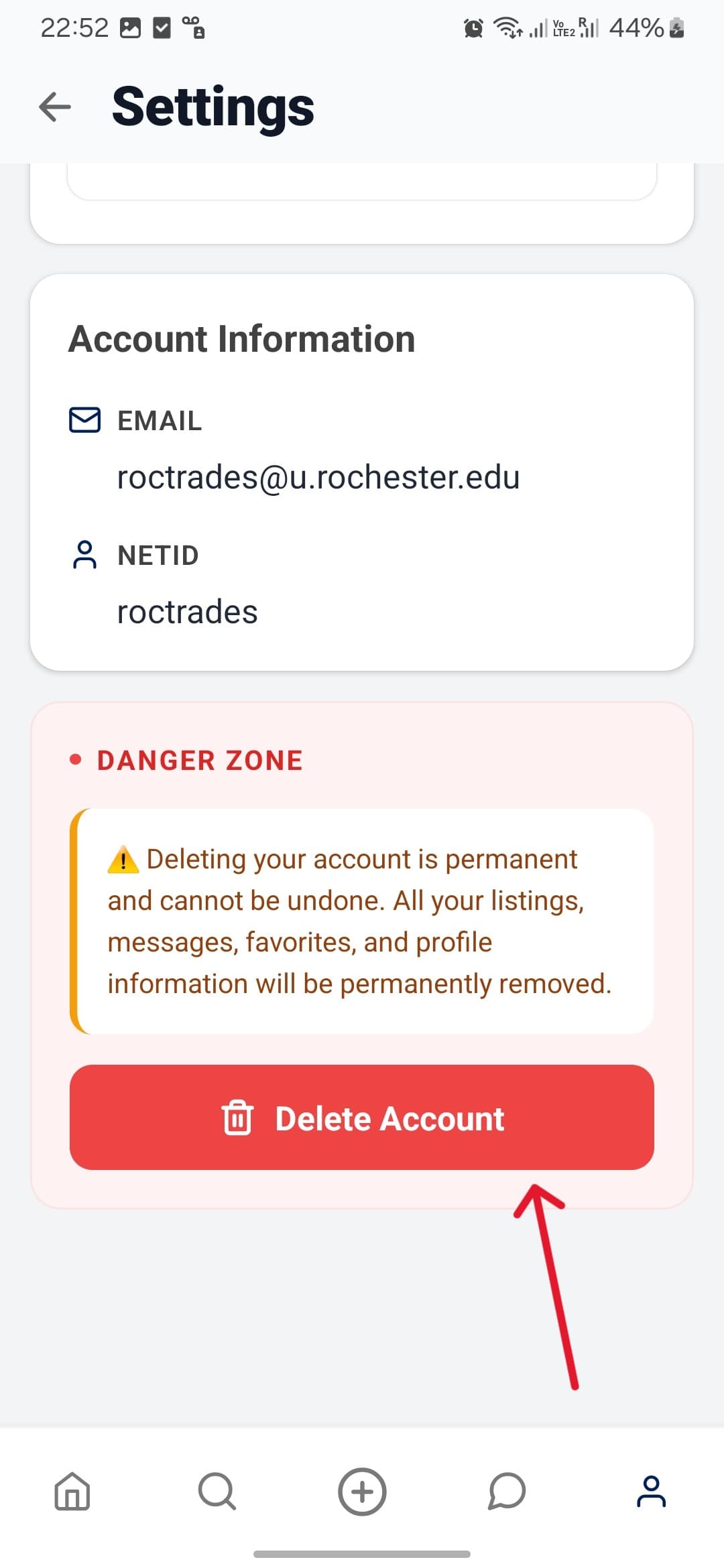
Step 4 — Tap Delete Account
Inside Settings, tap the Delete Account button.
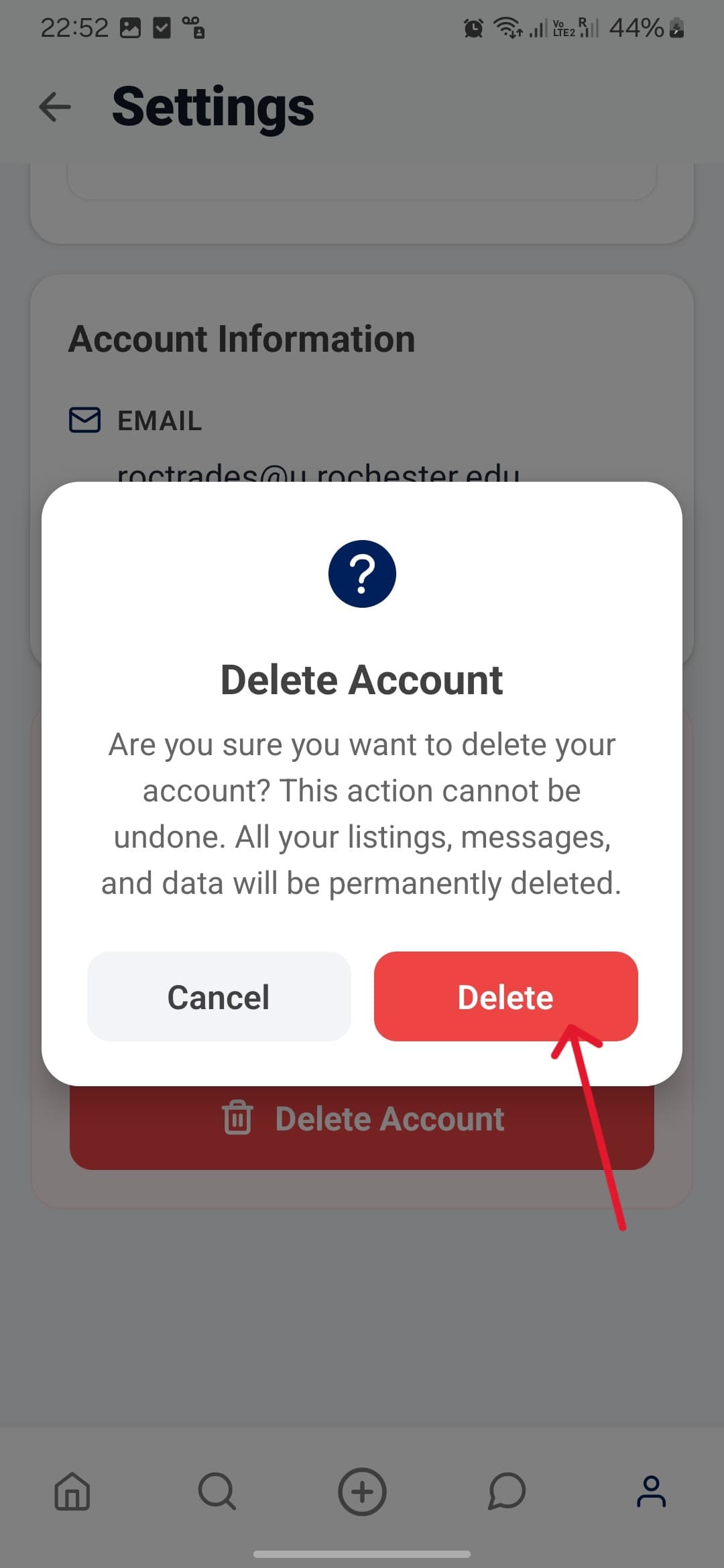
Step 5 — Confirm Deletion
Confirm that you really want to delete your account. Tap Delete if you've made up your mind.
Step 6 — Success Prompt
The deletion process takes about a minute. Once complete, you'll see a success prompt confirming your account has been deleted.